Skip to content

How Doyo works

Five steps, and you only do the first one on purpose. The rest is Doyo keeping you informed.

  1. 1

    Describe the job

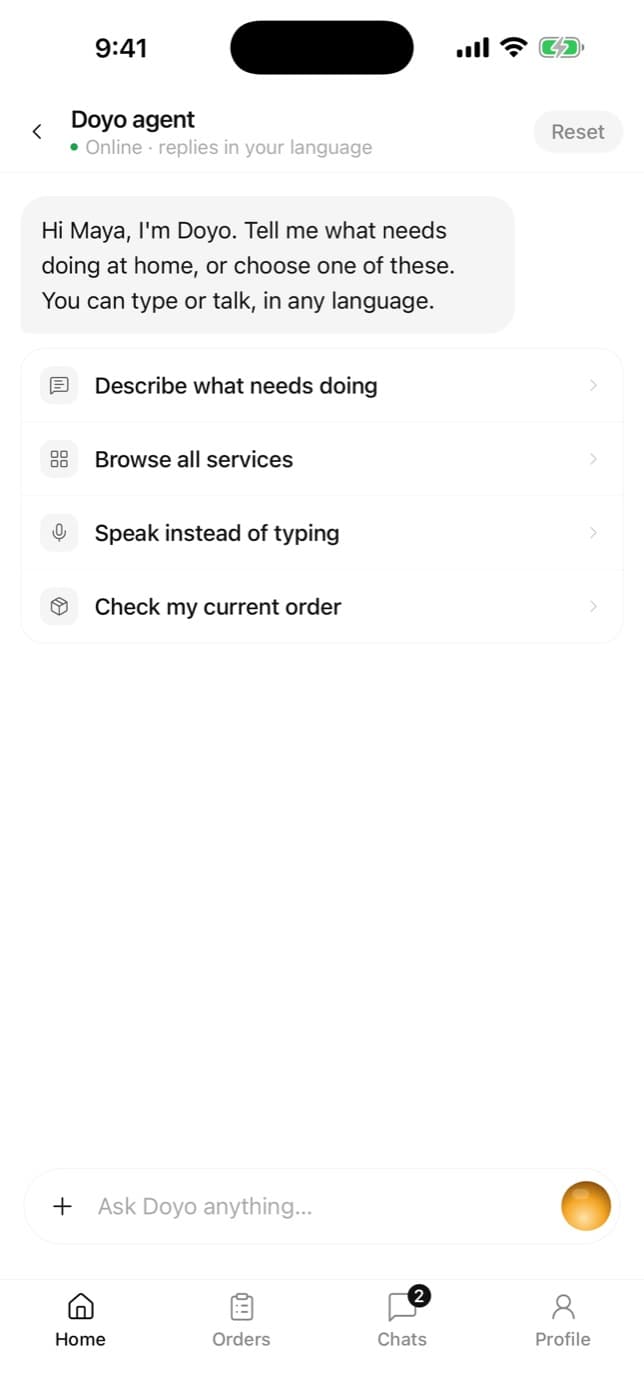
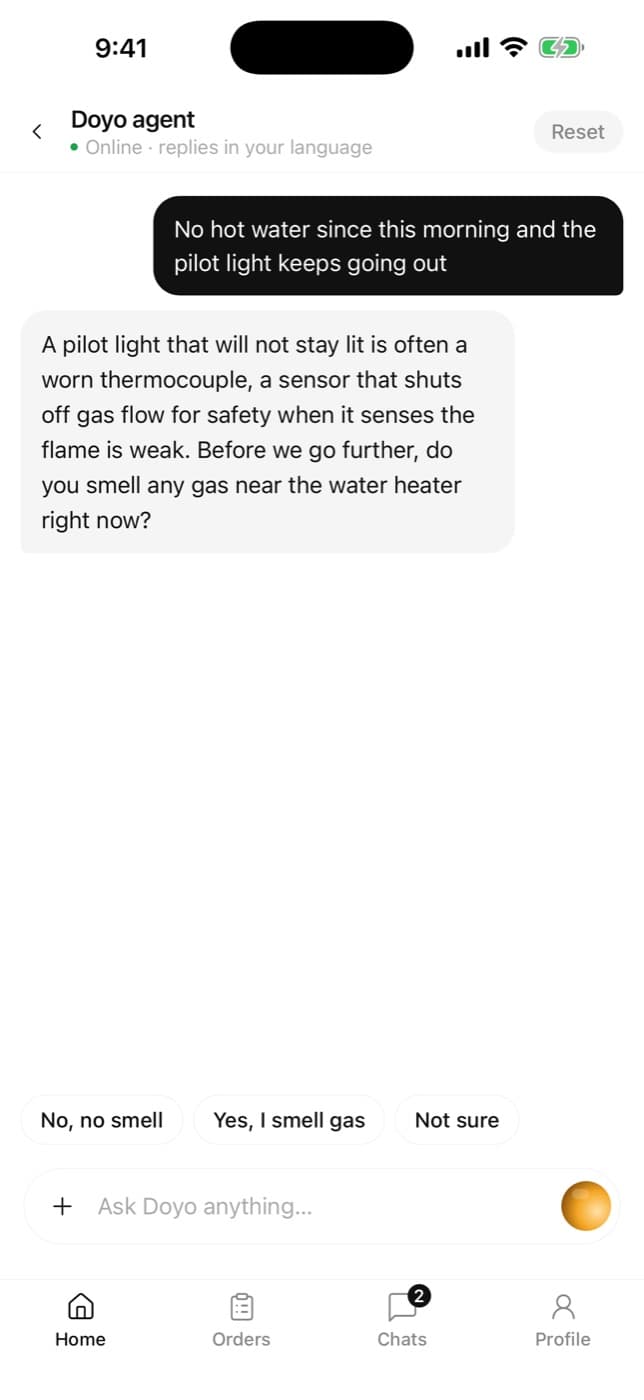
    Type, talk or add a photo. The Doyo agent asks what a good tradesperson would, works out the trade, and drafts the booking: the job, a time window and your address.
    Describe the job
  2. 2

    See the price, then book

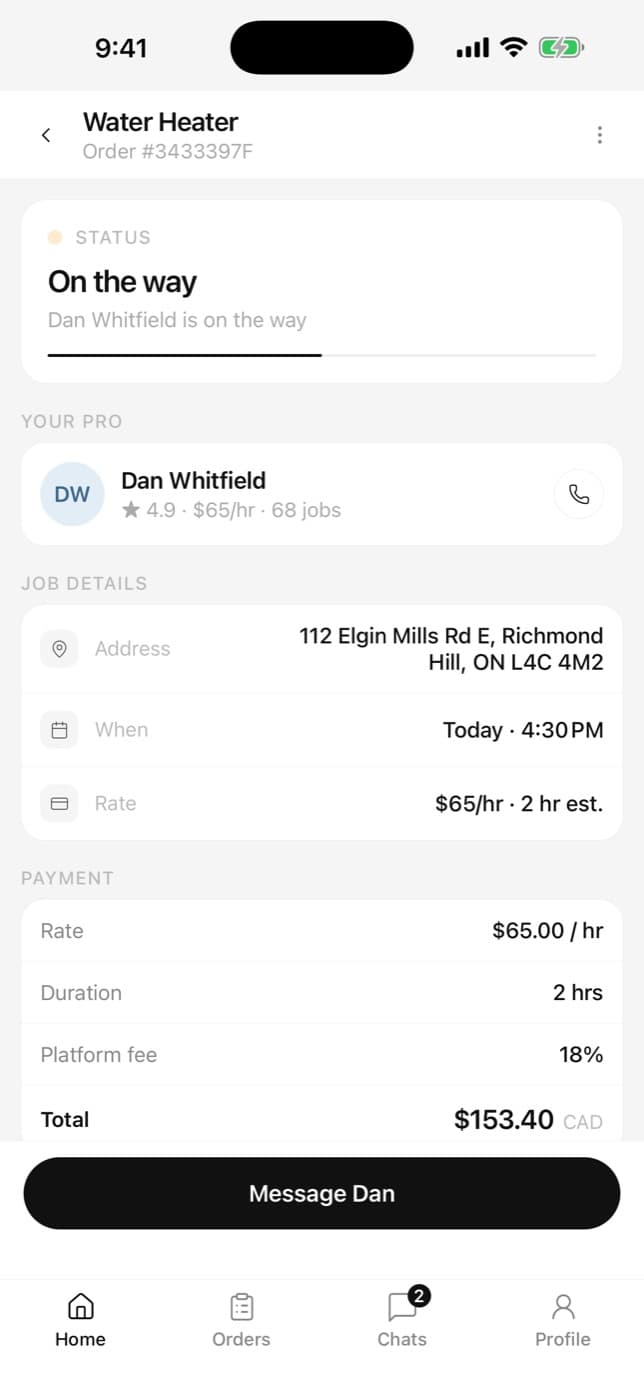
    Before anything is booked you see the pro’s rate, the estimated time and Doyo’s fee — and any Doyo credit that will come off. Bigger projects get a site visit and a written quote instead.
    See the price, then book
  3. 3

    Choose your pro

    Verified pros nearby respond. Compare rates, ratings, reviews and past work, and tap the verified badge to see what was checked. Pick one.
    Choose your pro
  4. 4

    Follow the job

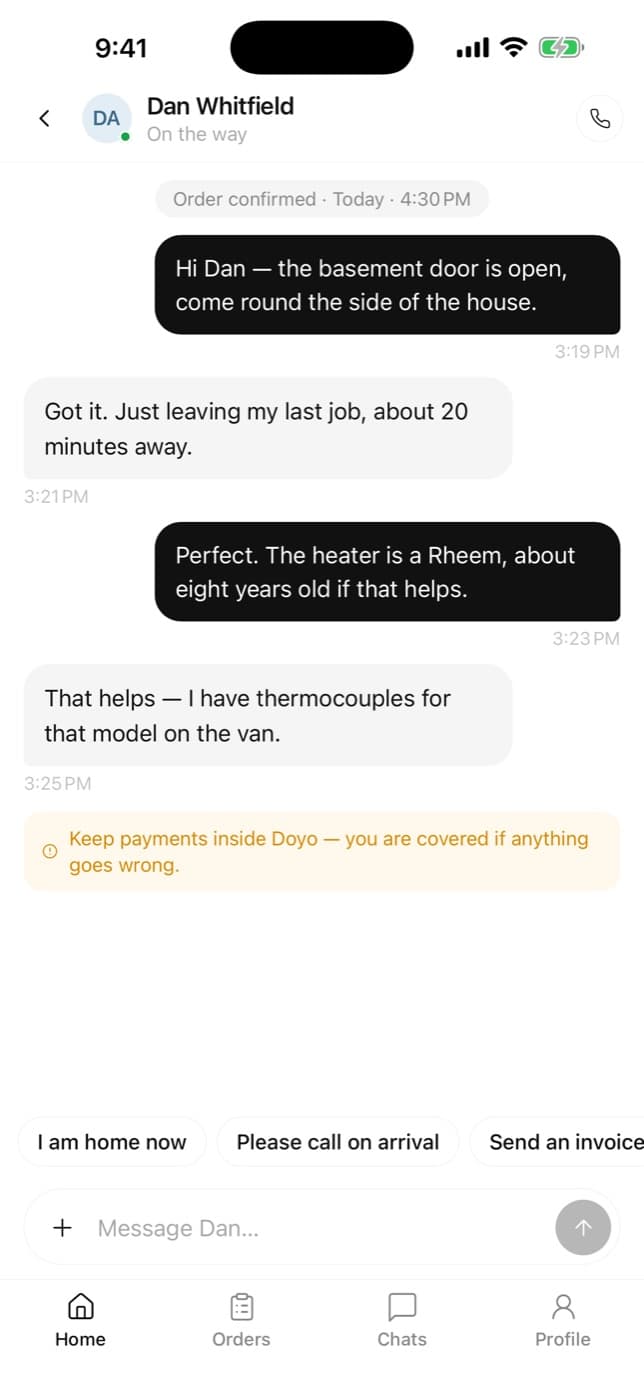
    See when they’re on the way, message them in the app, and get a note when they arrive and start.
    Follow the job
  5. 5

    Pay when it’s done

    Your card is held when the pro is confirmed and charged only once the job is marked complete. Then rate, tip if you like, and see any credit the job earned.
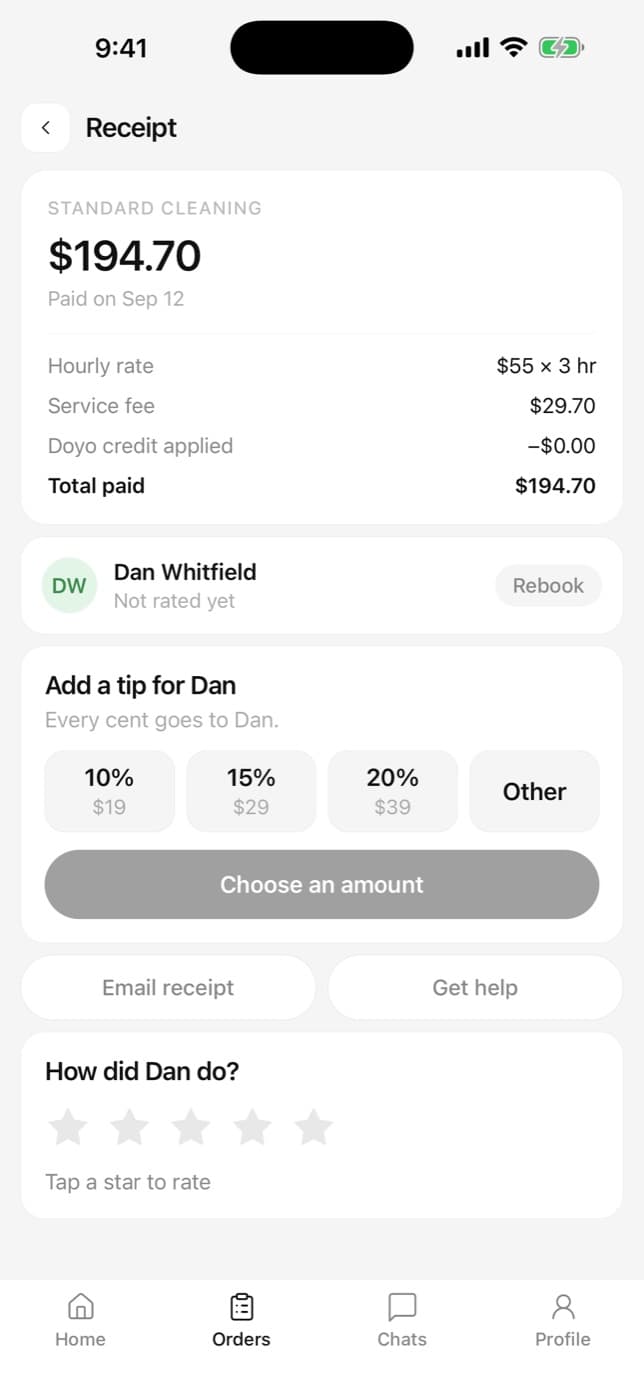
    Pay when it’s done

Questions about booking

Do I pay anything to book?

No. Your card is authorized — held, not charged — once a pro is confirmed, and captured only when the job is complete. For quote jobs, a deposit is taken when you accept the quote and held by Doyo until you confirm the work.

Can I cancel?

Yes, free of charge while Doyo is still matching you and before the pro starts work; any hold is released. Once a pro is on the way, a cancellation may carry a charge for their time, and you see it before you confirm.

What if the job costs more than the estimate?

The pro has to send you the new figure in the chat and wait for your agreement before doing more. Under Ontario law they cannot charge more than 10% over the estimate without it.

What is Doyo credit?

Credit Doyo gives you — as a reward after finished jobs, for referrals, or to make something right. It comes off Doyo’s fee on a future booking, never the pro’s pay, and each credit shows where it can be spent and when it expires.

Can I book without the app?

Yes — you can book on doyo.ca in any browser. The apps add notifications, voice and live tracking.

Tell Doyo what’s wrong. We’ll take it from there.

Book on the web
Coming soon to theApp StoreComing soon toGoogle Play